

DavMail Setup on macOS
DavMail requires a recent Java JRE, with OpenJFX support for O365Interactive authentication.
Recommended source is Azul at: Download Azul JDK. Pick your architecture, ARM for Apple Silicon and x86 64 for intel-based Macs.
An alternative is to use SDKMAN to install java, see SDKMAN Zulu sdk install java 25.0.3.fx-zulu
Next download DavMail-MacOSX-version.app.zip

DavMail is opensource and the application bundle is built from publicly available source. However, to avoid the apple tax, the package is not signed. On recent macOS versions (e.g. macOS Tahoe) you will get a security warning and a suggestion to move application to trash. Open settings / Privacy & Security, find the message: "DavMail was blocked from use because it is not from an identified developer" and click Open Anyway
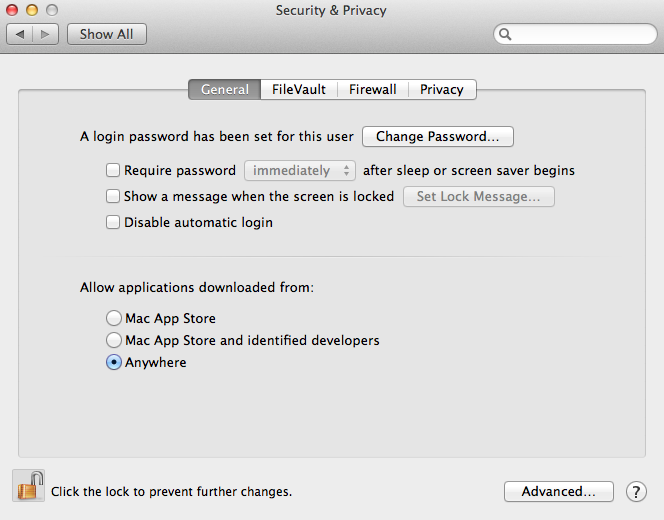
On OSX Mountain Lion, open System Preferences and choose Security and Privacy, then unlock panel with lock icon and choose Anywhere:
Safari should automatically extract application from archive. If not, just double-click on the zip file to trigger decompression. DavMail.app directory is then recognized as a valid OSX application.
Launch DavMail application once (double-click on the application icon).
On OSX Mountain Lion, You can then go back to System Preferences/Security and Privacy and restore original setting.
On first start the application displays the Settings (Preferences) frame.
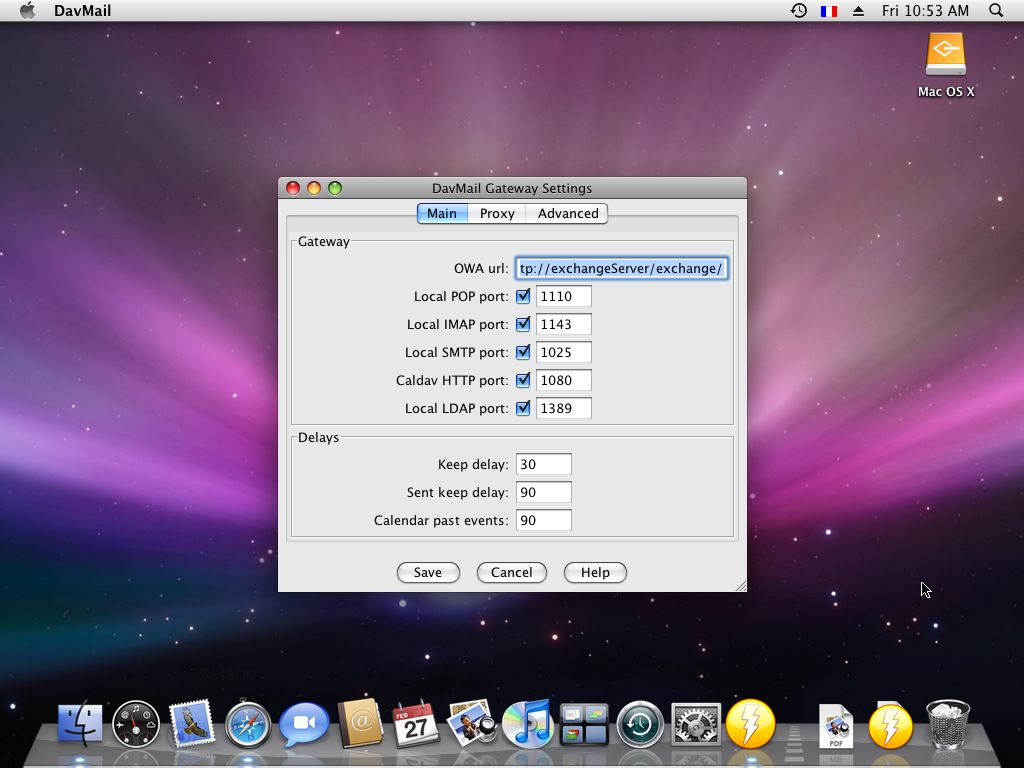
Next step is to adjust DavMail settings: Getting started
Troubleshooting
If macOS is unable to find you JDK/JRE, check the current java version in a terminal: java -version. If you get the following message: The operation couldn’t be completed. Unable to locate a Java Runtime. you need to reference your version of java for the system wrappers: sudo ln -sfn /path/to/your/jdk /Library/Java/JavaVirtualMachines/yourjdk.jdk
If you chose the zip or tar.gz package, you may also want to set JAVA_HOME and add $JAVA_HOME/bin to your PATH.
Advanced
You can embed the JDK inside the application bundle to create a standalone application. Grab the Zulu JRE FX zip package, see above instructions, then move its content inside DavMail.app. Then edit DavMail Info.plist to adjust JAVA_HOME, an example LSEnvironment setting is already available.
<key>LSEnvironment</key>
<dict><key>JAVA_HOME</key><string>Contents/Frameworks/azul-jre-fx/Contents/Home</string></dict>
As macOS maintains an internal cache of application settings, you will have to force a full cache reload:
/System/Library/Frameworks/CoreServices.framework/Frameworks/LaunchServices.framework/Support/lsregister -kill -seed